• Home
  • About
  • Blog
  • Shop
  • Contact
    • Email
    • Facebook
    • Instagram
    • Pinterest

Lit with Lyns

Creating Videos EASILY Using MySimpleShow

Uncategorized

Save
I recently found a GREAT tool that I have began using, and I just had to share with you!  I learned about Mysimpleshow from another great website called Cult of Pedagogy.

I’m always on the lookout for ways to incorporate videos and any kind of technology into my lessons.  My students have used GoAnimate, Powtoon, Power Point, etc. but most of these tend to be time consuming, and there always seem to be issues that arise in the process.  With MySimpleShow, this was not the case!

The Way it Works
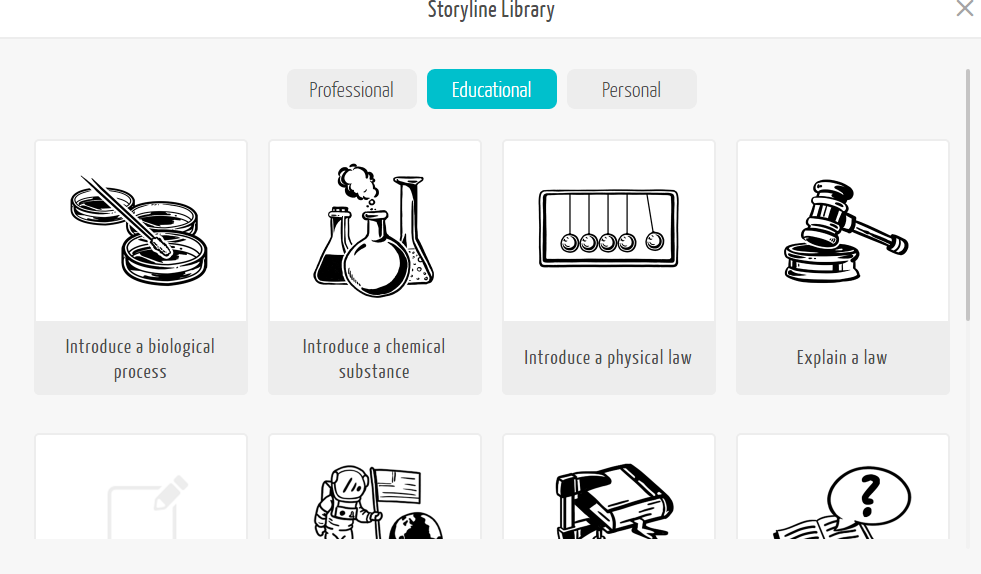
Step 1- Draft- In this step, you choose whether the video you want to create is Professional, Educational, or Personal.  Of course, you would choose educational.  Then you choose what the main purpose of your video is:  educate somebody, introduce a topic, summarize a topic, or discuss a topic.
Next, you choose your “story line.”  You can choose a blank template or one of the ones that are listed.
Save

I chose to create my own.   Once you choose your story line, you move to step 2.

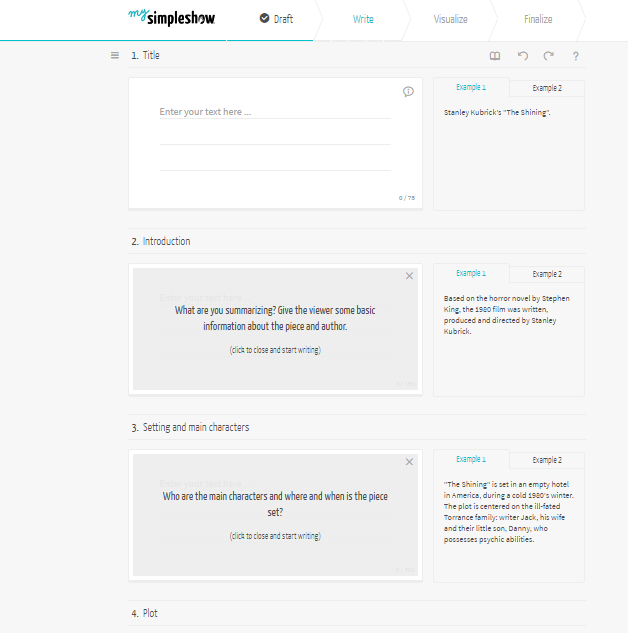
Step 2- Write- This is where you write your draft.  Each box explains what you need to include and also gives examples.
Save

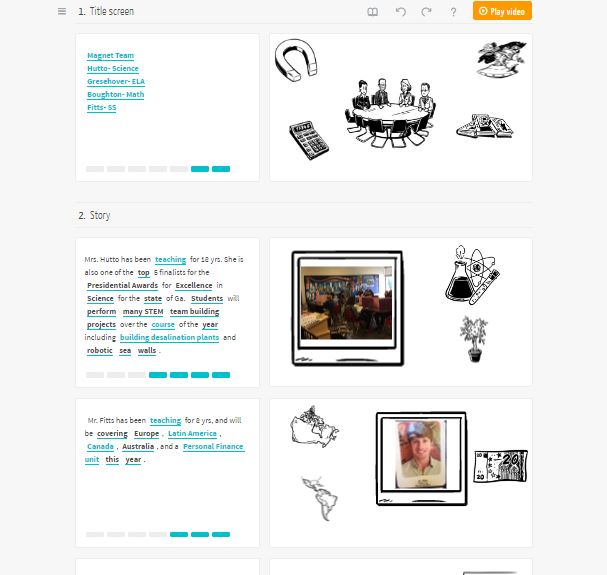
Step 3- Visualize- Using key words from your text, the program automatically selects pictures that you can include in the video, or you can choose to upload your own.
Save

The picture above is from the video that I created for our team for Meet the Teacher night.

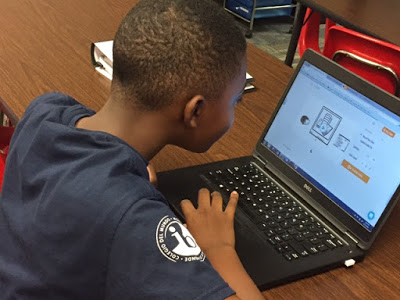
Step 4- Finalize- This is where you will choose how you would like the text read.  You can use their Text to Speech option, or you can record your own voice.  I actually had a student read mine, and it turned out pretty good.
Save

See our finished product below:

I’m planning to have my students use MySimpleShow to analyze a book we’re reading and can’t wait to see how it turns out.  What video programs have you used?  I’d love to hear about it in the comments!

« Winner Wednesday- September
Book Review & Resources »

Search

Categories

Latest on Instagram

litwithlyns

โค๏ธWife๐Ÿ‘ฉ๐Ÿป
๐Ÿ’™Boy Mom๐Ÿ‘ฆ๐Ÿป๐Ÿ‘ฆ๐Ÿป
๐Ÿ“MS ELA teacher
๐Ÿ’ปCurriculum Designer๐Ÿ’๐Ÿปโ€โ™€๏ธ
๐Ÿ–ฅ Integrator of technology๐Ÿ“GA
๐Ÿ”—Links โฌ‡๏ธ

Love my @teacherspayteachers Yeti that I received Love my @teacherspayteachers Yeti that I received from a previous milestone! Thank you, TPT!
๐ŸŽ‰ Kick off the school year with this Back to Schoo ๐ŸŽ‰ Kick off the school year with this Back to School Activities Bundle for grades 5โ€“8! Save 20% and get 6+ engaging digital & printable activities, including escape rooms, student interest surveys, social media-style About Me templates, planners, classmate interviews, and editable open house templates. ๐‚๐จ๐ฆ๐ฆ๐ž๐ง๐ญ ๐๐“๐’ ๐ญ๐จ ๐ก๐š๐ฏ๐ž ๐ฅ๐ข๐ง๐ค ๐ฌ๐ž๐ง๐ญ ๐๐ข๐ซ๐ž๐œ๐ญ๐ฅ๐ฒ ๐ญ๐จ ๐ฒ๐จ๐ฎ๐ซ ๐๐ฆ. Perfect for building classroom community, setting goals, and getting to know studentsโ€”all with zero prep and maximum engagement! ๐ŸŽโœ๏ธ #BackToSchool #MiddleSchoolELA #TeacherResources #DigitalLearning #ClassroomCommunity
๐ŸŽ’โœจ BACK TO SCHOOL DIGITAL ESCAPE ROOM โœจ๐ŸŽ’Comment ๐๐“ ๐ŸŽ’โœจ BACK TO SCHOOL DIGITAL ESCAPE ROOM โœจ๐ŸŽ’Comment ๐๐“๐’, and Iโ€™ll send the link straight to your inbox. 

Looking for a fun, engaging way to kick off the school year? This Back to School Digital Escape Room is the perfect first-week activity for grades 5โ€“8!

๐Ÿ” Students will:
โœ… Complete a student interest survey
โœ… Learn tips for being successful this school year
โœ… Set meaningful SMART goals
โœ… Work through 3 interactive digital escape rooms
โœ… Practice technology skills while having fun

๐Ÿ’ป NO PREP! Simply share the Google Forms link and let the adventure begin. No locks, cutting, or extra supplies needed!

This high-engagement activity helps you get to know your students, build classroom community, and set the tone for a successful yearโ€”all while students think theyโ€™re just having fun!

Tell me below: Whatโ€™s your favorite first-week-of-school activity? ๐Ÿ‘‡

#BackToSchool #MiddleSchoolTeacher #ELAteacher #TeachersOfInstagram #TeachingIdeas
Teachers and students can stay organized with plan Teachers and students can stay organized with planners and agendas! This digital and print resource comes with multiple formats of both! Comment ๐๐ฅ๐š๐ง๐ง๐ž๐ซ and have a link sent directly to your messages. 

You will get your own link to this resource on Canva where you can duplicate slides for the year, add text, and more. 

Whatโ€™s included:
* 9 daily agenda templates to choose from
* 5 weekly agenda/planner templates
* 1 monthly planner template
* 1 yearly planner template (more of a calendar with room for notes)
* Planner template for each month of the year (12)
Follow on Instagram

Copyright © 2026 ยท Becca Paro Design Co.