I’m constantly on the lookout for new ways to incorporate technology and other digital resources. You can read about some of my favorites here. With the start of each school year, I find myself searching for digital tools that I haven’t tried before. This year, I feel like I hit the jackpot! For those of you who are just hearing about the amazing Flipgrid for the first time, boy are you in for a treat!!! I loved it so much, I even took the necessary steps to become a Flipgrid Certified Educator!
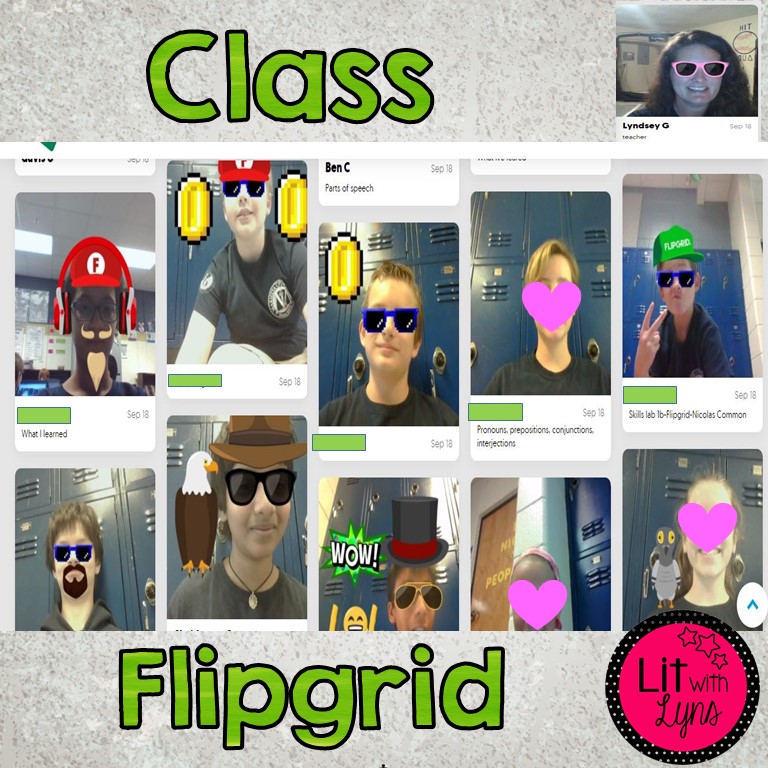
Flipgrid is a video response platform where educators can have online video discussions with their students or other educators. Teachers can provide feedback to their students once they have posted their video response, and students can also give feedback to one another. There are endless opportunities to take advantage of Flipgrid in the classroom.
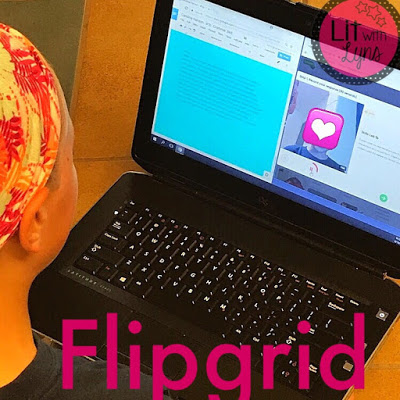
My students recently completed a hyperdoc where they reviewed the parts of speech. The last activity in the hyperdoc was to reflect on and summarize what they had learned. This is where Flipgrid came in! They shared their reflections using Flipgrid, and I was able to provide fast and easy feedback to each student. You can provide written feedback, or you can click on a heart, light bulb, or any of the other emoji choices available if you’re looking to do it quickly. You can see a couple action shots from my students below.

So what are some other ways teachers can use Flipgrid in the classroom??? Here are 10 ideas to get you started:
- Book Recommendations– Have your students share recommendations on books that they have read. You can create a topic that’s titled, “Book Recommendations.” When students are looking for books to read, they can head over to Flipgrid, and check out all of the books that have been recommended.
- Formative Assessments– Have students discuss a particular skill that they have been learning in class. This will show you how much they have (or haven’t) learned.
- Exit Tickets– Similar to a formative assessment, students can post a short video discussing the material they learned in class that day.
- Student (AND Teacher) Introductions– At the start of a new year, students can use Flipgrid to introduce themselves to the teacher and the rest of the class. The teacher can do the same.
- Hyperdoc Activity– If you’re using Hyperdocs (which is the greatest digital invention EVER), using Flipgrids would be a great addition to include! As I shared above, it’s the perfect way to wrap up all of the activities by having students reflect on all of the skills that have been covered.
- Turning Point– Discuss the turning point or climax of a story or event.
- Connect w/ other Flipgrid Users– Find other teachers who use Flipgrid and make plans to connect your classes. You could possibly focus on the same topic or skill, and then ask questions, share responses, etc. This could even be done with classes in other countries!
- Watch & Respond– With Flipgrid, you can link a Youtube video or video you create. Have students view the video and then post a response.
- Stating Claim/Responding with Evidence– When I’m teaching my students the Argumentative Essay Writing process, they have to be able to clearly state their claim and prove it with supporting evidence. Have them do this orally using Flipgrid.
- Oral Reading Responses– Rather than writing or typing answers to reading response questions, have them respond orally on Flipgrid.
There are 2 different options to choose from when creating an account: Flipgrid One, the free version, and Flipgrid Classroom, which is the paid option that is $65/yr. With the free version, you get 1 grid with unlimited topics and unlimited student videos. Teachers can also provide individual student feedback. With Classroom Flipgrid, in addition to all that comes w/ the free account, you also receive unlimited grids and unlimited student replies to responses. Learn more about this here. I recently made a video to show other educators how to use Flipgrid. Check it out below:
Have you used Flipgrid with your students? If so, I’d love to hear all about it in the comments below!
